Tap and speak
Start a session in seconds. Share what is happening in your own words without typing.
Product
Start a session in seconds. Share what is happening in your own words without typing.
Receive calm, empathetic, evidence-informed responses with practical next steps.
Capture mood, what went well, and optional notes in about a minute—free, with a calendar to look back.
Continue on Android, iOS, or web with the same account and review mood trends over time.
A visual preview of the core product areas visitors ask about most.
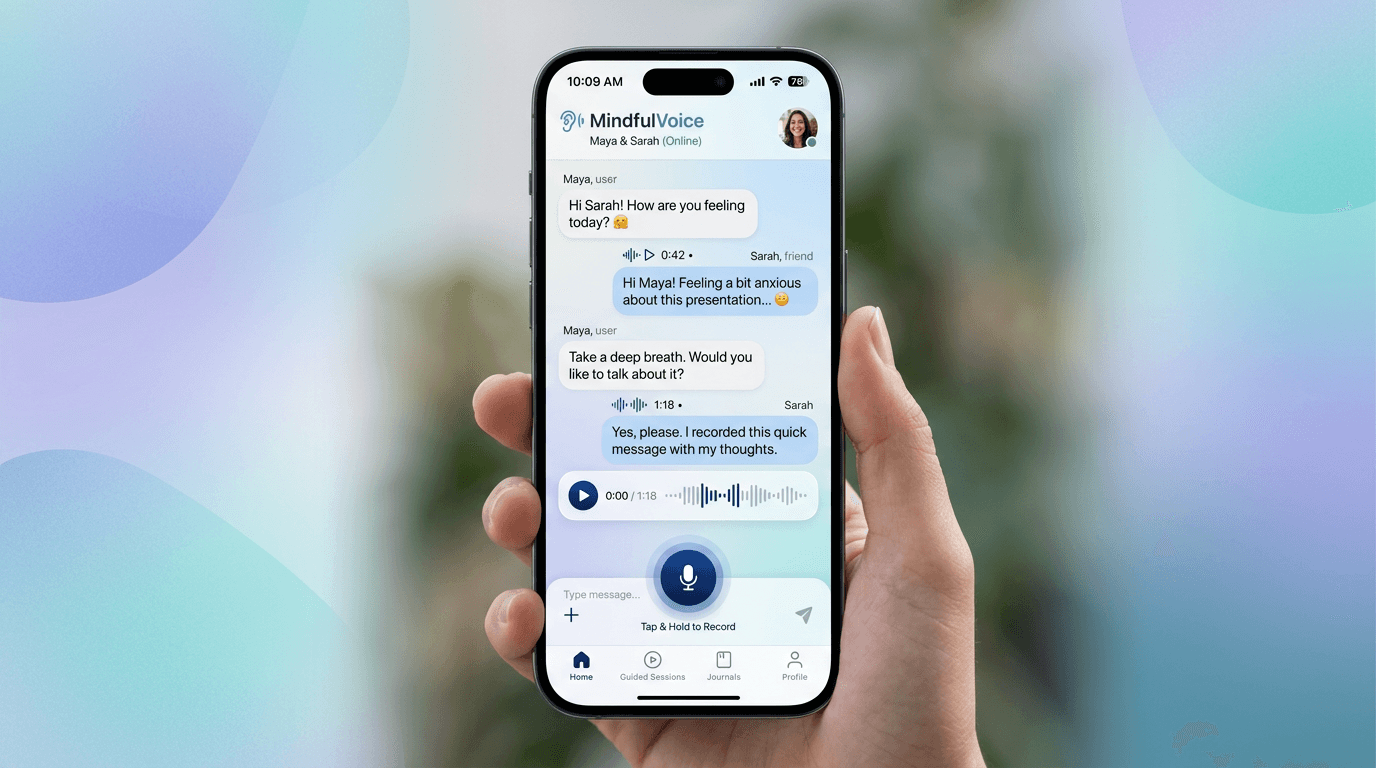
Speak naturally; Peccure responds in your language.
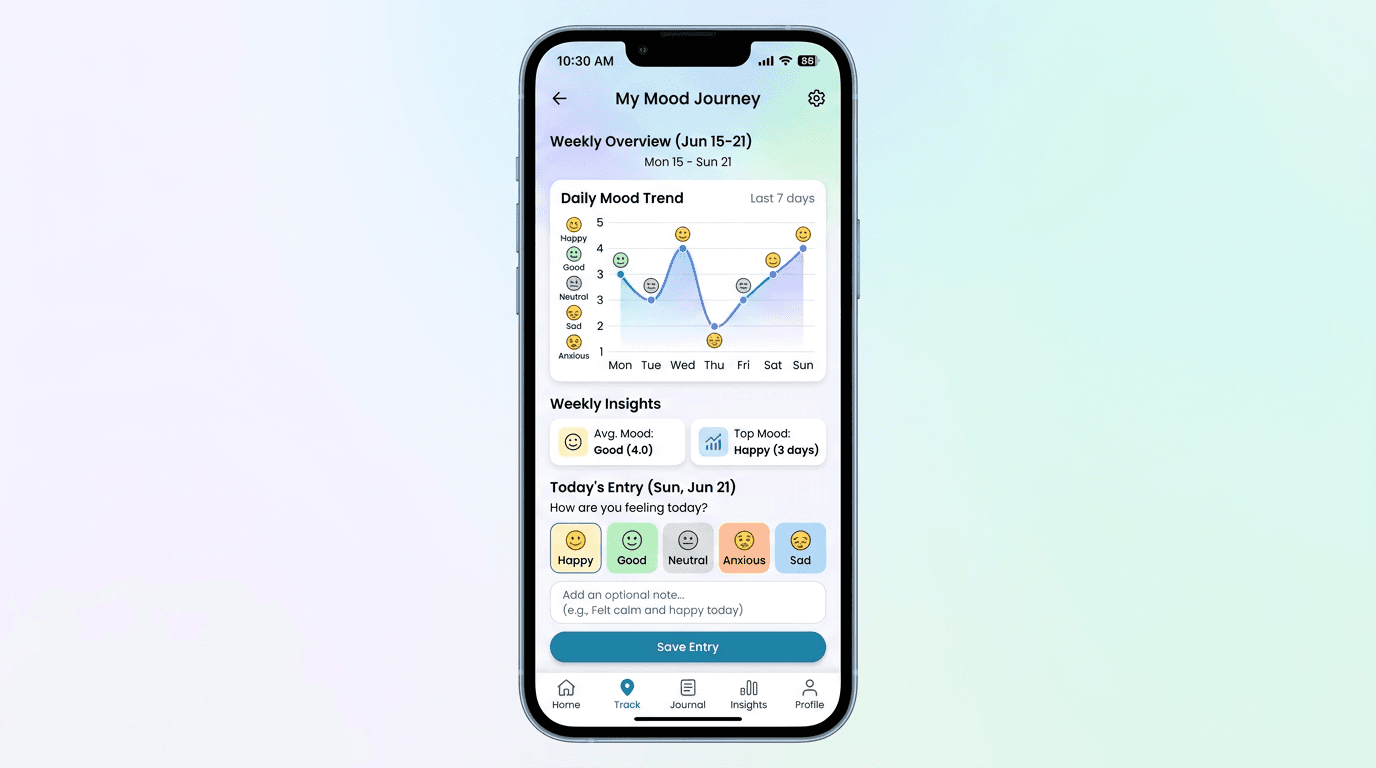
Spot patterns across days and build healthier routines.
A simple daily check-in—mood, what went well, optional notes. Free for everyone.
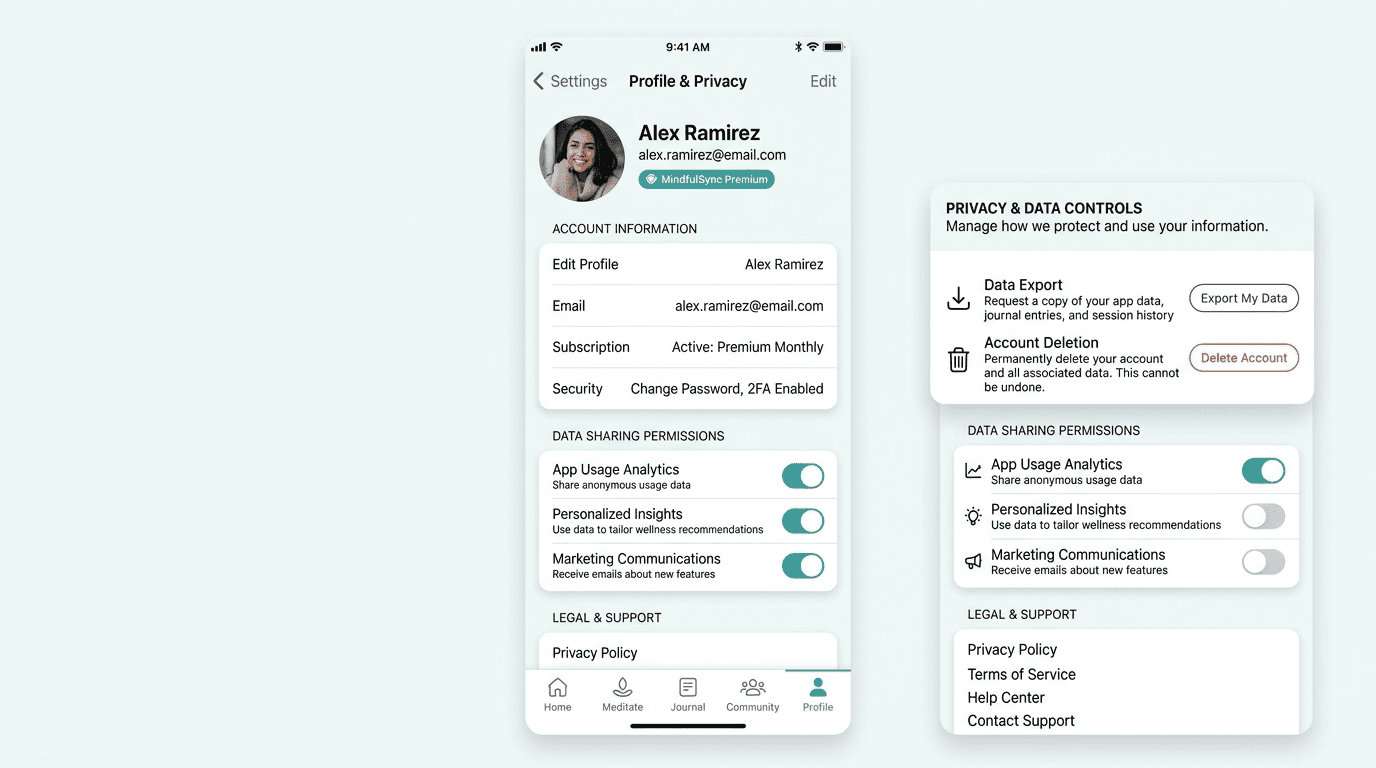
Manage account settings plus data/account deletion controls.
See what a typical voice-first conversation with Peccure looks like.
You
I'm feeling really overwhelmed today, like I can't catch a break.
Peccure
I hear you. Feeling overwhelmed can be incredibly tough, and it sounds like you're carrying a lot right now. Could you tell me a bit more about what's making you feel this way? No pressure at all, just whatever comes to mind.
You
It's just everything at work, and then coming home to a messy house... it feels like a mountain I can't climb.
Peccure
That's a lot to juggle. It's completely understandable that both work and home responsibilities feel like too much right now. When things feel like a mountain, even small steps can make a difference. What's one tiny thing, even a five-minute task, that might bring a moment of ease, either at work or home?